
Why Is My Laptop Getting Hot and Making Noise?
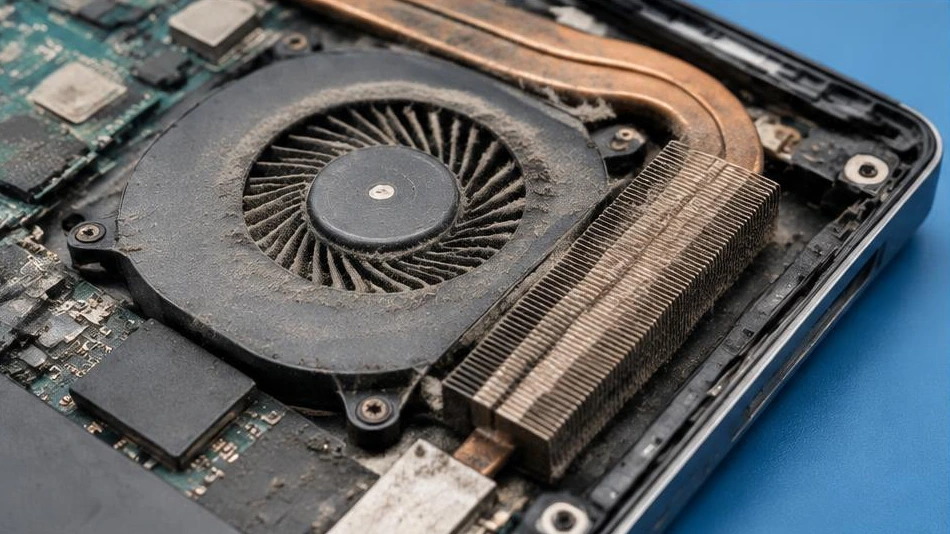
A noisy fan can be normal under heavy load, but persistent heat or sudden shutdowns should not be ignored.
Check the surroundings and programs
Place the laptop on a hard surface without covering the ventilation grilles. A bed or cushion traps heat. Check active tasks: a game, an update or an unresponsive application can put a heavy load on the processor. Compare the noise when idle and under load.
Cleaning and maintenance
Dust obstructs airflow. Maintenance may include internal cleaning and checking the fan. Thermal paste replacement must be appropriate for the hardware and carried out correctly. Do not spray any liquid or force the fan to spin violently with a jet of air.
When to have the laptop examined
Vibrations, rubbing noises, excessive temperatures or repeated shutdowns warrant an inspection. Back up your files and stop running demanding tasks in the meantime. Diagnosis checks the cooling system, sensors and software load; it avoids replacing parts without identifying the cause.
Advice tailored to your device
For a diagnosis, contact Dev-IT Solution, providing the model, symptoms and tests already performed. Back up your data when it is safe to do so. This general advice is not a substitute for examining the device.