
Swollen battery: a danger you should not ignore
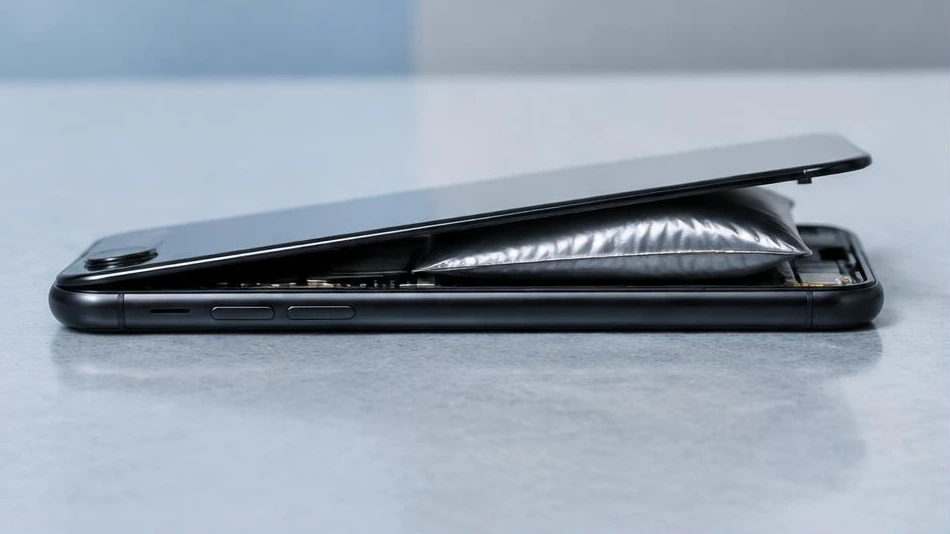
A swollen battery is a safety defect, not just a battery life issue. Stop using and charging the affected device.
Recognize the signs
A lifting screen, a distorted casing, or a bulging touchpad may indicate a swollen battery. Do not press the deformed part back into place. If it is safe to do so, turn off the device and unplug it.
Avoid any dangerous handling
Never puncture, bend, or compress a battery. Do not attempt to remove it if it is glued in place, hot, or difficult to access. Do not continue using it to finish a backup. Move the device away from flammable materials without handling it any further. If there is smoke or fire, move away and contact emergency services.
Have it replaced and handled properly
Entrust replacement to a professional using a compatible part. Inform the workshop about the swelling before transport to obtain appropriate instructions. The battery must not be discarded with ordinary waste. An appropriate collection service is necessary; safety takes priority over data and repair costs.
Advice tailored to your device
For a diagnosis, contact Dev-IT Solution with the model, symptoms, and any troubleshooting already attempted. Back up your data when it is safe to do so. This general advice does not replace an examination of the device.